
Databases
Information on acoustical sources, mitigation, material properties, criteria, and sound speed profiles is contained within two databases. The program ships with a default database containing data provided by dBSea Ltd. A second database is created on the user’s computer for user-defined entries.
The user database is located at C:\Users\<username>\AppData\Local\dBSea Ltd\userLib.json.
Each of the tabs where the database is used allows the user to add or remove data, as shown in this example from the seafloor tab:
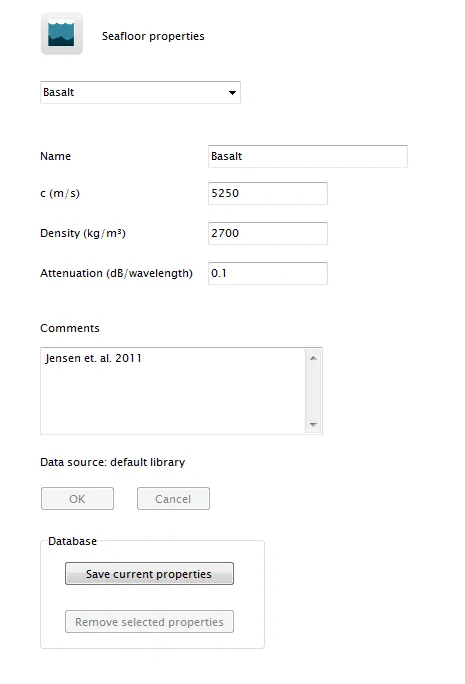
Image 1: This image shows the seafloor tab of the database interface.
- Clicking the button
Save current propertieswill create an entry in the user database with the current name and given properties. - Clicking the button
Remove selected propertieswill remove the selected entry (note: this button is only enabled when the current entry is from the user database).
Entries from both the default and user databases are shown together in the dropdown menu.
Backup and Restoration
Section titled “Backup and Restoration”The user database can be backed up by making a copy of the userLib.json file. To restore a backup, simply copy the backed-up file to its original location.
Database Reset
Section titled “Database Reset”If the user database becomes corrupted, or if you wish to clear all entries and start fresh, delete (or rename) the userLib.json file. Upon restarting dBSea, a new empty user database will be created.